Page 1 of 2
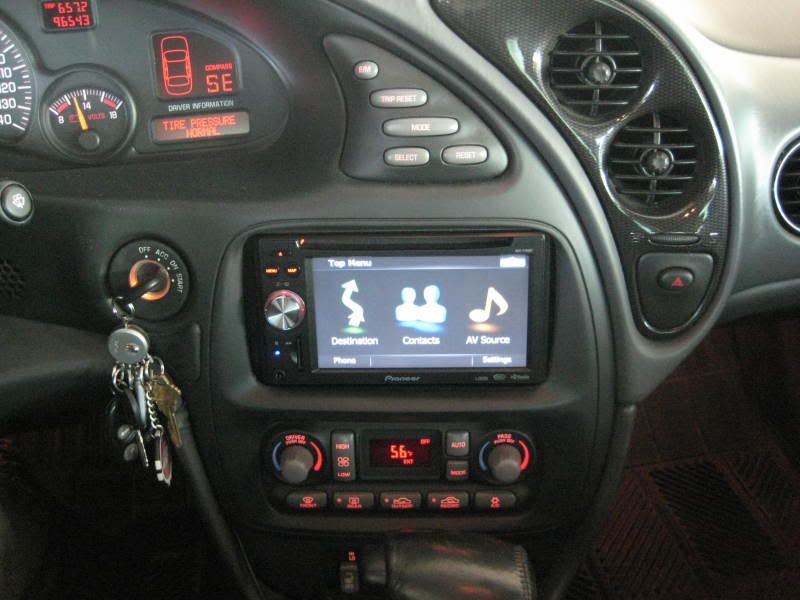
Double din navigation in my 03
Posted: Sun Mar 15, 2009 6:46 pm
by Looong4
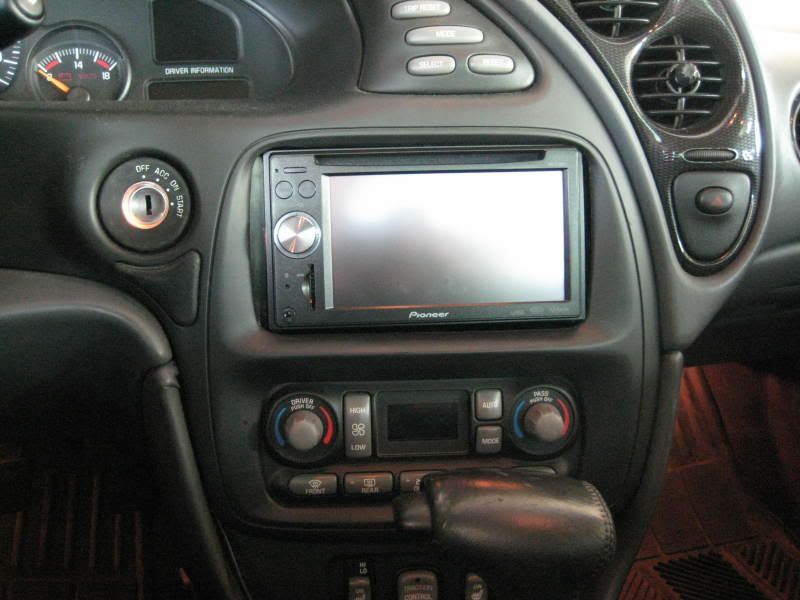
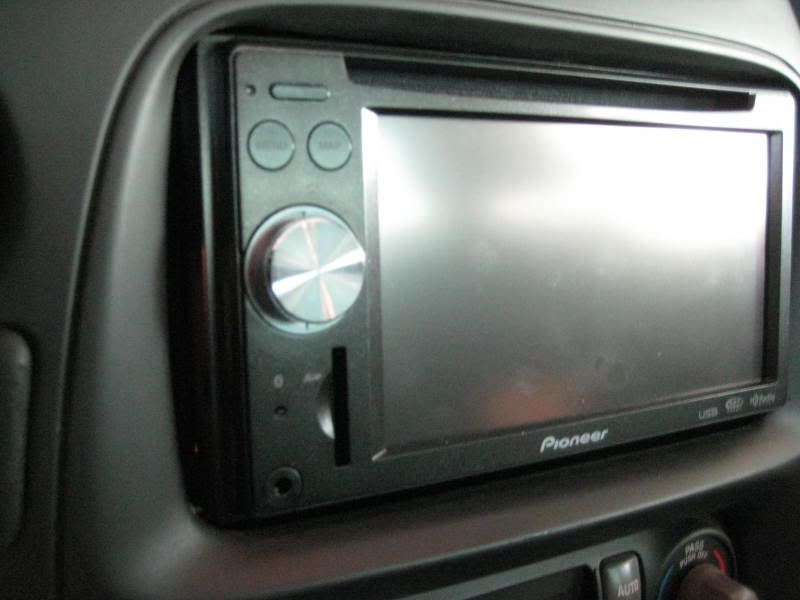
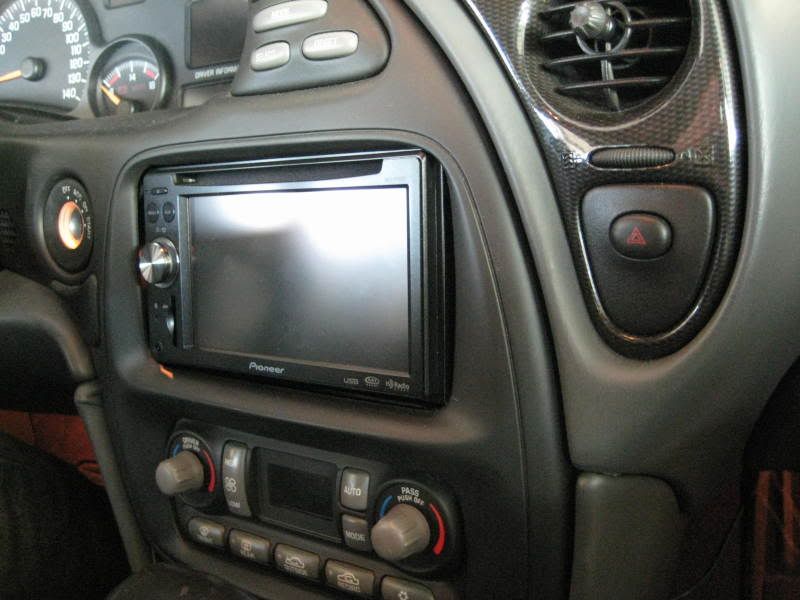
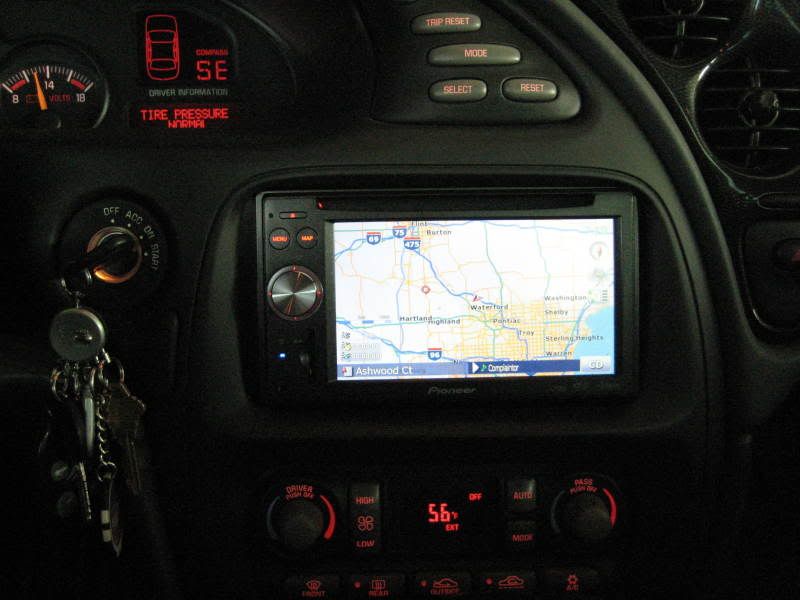
I know there were some questions about if a double din will fit so I thought I'd post some pics of mine.
I had a JVC before and it fit better because there were not as many wires behind the radio but overall both the units I had were fairly easy to install which is strange seeing how Best Buy and Circuit City telling everyone that it is impossible.
I was working at Circuit City when they announced closing so it being my second store I closed I knew what to do this time around and stashed some stuff and ended up getting some AMAZING other deals and getting this for $200 and the last JVC I had for $100.
It is the Pioneer AVIC-F700BT, the thing I like most about it is the hands free calling without even taking my phone out of my pocket. Very cool.
Here are some pics
Re: Double din navigation in my 03
Posted: Sun Mar 15, 2009 6:54 pm
by 01bonne
I like, is it touchscreen?
Re: Double din navigation in my 03
Posted: Sun Mar 15, 2009 7:00 pm
by Looong4
Yes
Re: Double din navigation in my 03
Posted: Mon Mar 16, 2009 10:54 am
by dpnewfie
Very, very nice! Well done.

Re: Double din navigation in my 03
Posted: Tue Mar 17, 2009 4:24 pm
by RookieSSei
200 BUCKS ! 200 BUCKS ! 200BUCKS wow i would have got like 3 in tried too sell 2 wow great look
Re: Double din navigation in my 03
Posted: Tue Mar 17, 2009 7:51 pm
by 01bonne
how hard is it to use the features while driving?
Re: Double din navigation in my 03
Posted: Tue Mar 17, 2009 8:31 pm
by Looong4
Actually you can't. It disables all setting features under 10mph. But controlling the map and radio is rather easy while driving its just the settings and typeing in address' that you cannot do while driving.
Re: Double din navigation in my 03
Posted: Tue Mar 17, 2009 9:17 pm
by viper8907
Im assuming it wasn't plug and play, I've thought about trying to put a in-dash navigation in like that. Im interested in what kind or harness/wiring you used to hook it up.
Re: Double din navigation in my 03
Posted: Tue Mar 17, 2009 10:20 pm
by 01bonne
Looong4 wrote:Actually you can't. It disables all setting features under 10mph.
I dont know if I like that, but I understand it's for safety purposes.
Re: Double din navigation in my 03
Posted: Tue Mar 17, 2009 11:15 pm
by Looong4
Yes its pretty much plug and play. I am useing the same adapter I used for a standard aftermarket cd player.
My steering wheel controls do not work and I believe there is a seperate adapter for that but I never used them anyways.
But basically all you need is:
Regular wireing harness
Antenna adapter
Dash kit
You will have to do a small amount of cutting behind the radio. I also had to run a gps antenna to the top of dash and a mic for hands free phone to the left side of the steering wheel.
I think that most nav units will not let you view settings just because it knows how fast your going via the gps.
Re: Double din navigation in my 03
Posted: Tue Mar 17, 2009 11:55 pm
by viper8907
Looong4 wrote:Yes its pretty much plug and play. I am useing the same adapter I used for a standard aftermarket cd player.
My steering wheel controls do not work and I believe there is a seperate adapter for that but I never used them anyways.
But basically all you need is:
Regular wireing harness
Antenna adapter
Dash kit
You will have to do a small amount of cutting behind the radio. I also had to run a gps antenna to the top of dash and a mic for hands free phone to the left side of the steering wheel.
I think that most nav units will not let you view settings just because it knows how fast your going via the gps.
Interesting, I thought it would be harder than that. I might have to save up some money and get one.
Re: Double din navigation in my 03
Posted: Wed Mar 18, 2009 12:22 am
by Looong4
Me too but it wasn't bad at all.
Re: Double din navigation in my 03
Posted: Sat Mar 21, 2009 12:25 pm
by screwstonjay713
Wow that's a hell of a deal normaly these would go for 350 and up. That feature that disables typing while driving probably can be disabled. The shop who installed mine disabled the dvd feature so it can play while driving
Re: Double din navigation in my 03
Posted: Sat Mar 21, 2009 11:16 pm
by Looong4
yeah i did that on my last one by grounding out the parking brake lead, I did the same for this one but it seems like it knows your driving because of the navigation.
Re: Double din navigation in my 03
Posted: Mon May 11, 2009 1:19 pm
by blackout
check these guys out they are pretty knowledgeable
http://avic411.com/
Re: Double din navigation in my 03
Posted: Mon May 11, 2009 1:28 pm
by mntnbkr
ha... was just checking out your nav pics and noticed that we're neighbors. I guess it would have been just as easy to look at your profile info...but I didn't.
Anyway, hi neighbor.
Re: Double din navigation in my 03
Posted: Sun Oct 18, 2009 12:10 pm
by yourgrandma
Sorry to drag this one up from the dead, but what exactly did you have to cut in back? It's been a while since I've had mine apart, but I do recall it was a tight fit just to fit my single din deck in there.
Re: Double din navigation in my 03
Posted: Mon Oct 19, 2009 11:55 pm
by Water 97SSEi
01bonne wrote:Looong4 wrote:Actually you can't. It disables all setting features under 10mph.
I dont know if I like that, but I understand it's for safety purposes.
The factory GM Navigation systems are like this too (though they might actually be like 5 or 8 mph). Father's 03 Yukon has a factory nav and it is like that. I believe this is the case in almost all (if not all) American sold OEM navigation systems.
Re: Double din navigation in my 03
Posted: Tue Oct 20, 2009 12:00 am
by harofreak00
My GM Nav is like 1 or 2mph... but with my VSS disable switch it makes entering destinations in route easy.
Re: Double din navigation in my 03
Posted: Tue Oct 20, 2009 12:53 am
by olblueeyesbonne
Yup, it's a matter of running a ground like alot of people do with their aftermarket DVD decks.
I did this when I put one in friends car. I forget what wire I had to ground out, but it shouldn't be too hard to figure out by looking at the wiring harness schematic if you have access to one.